
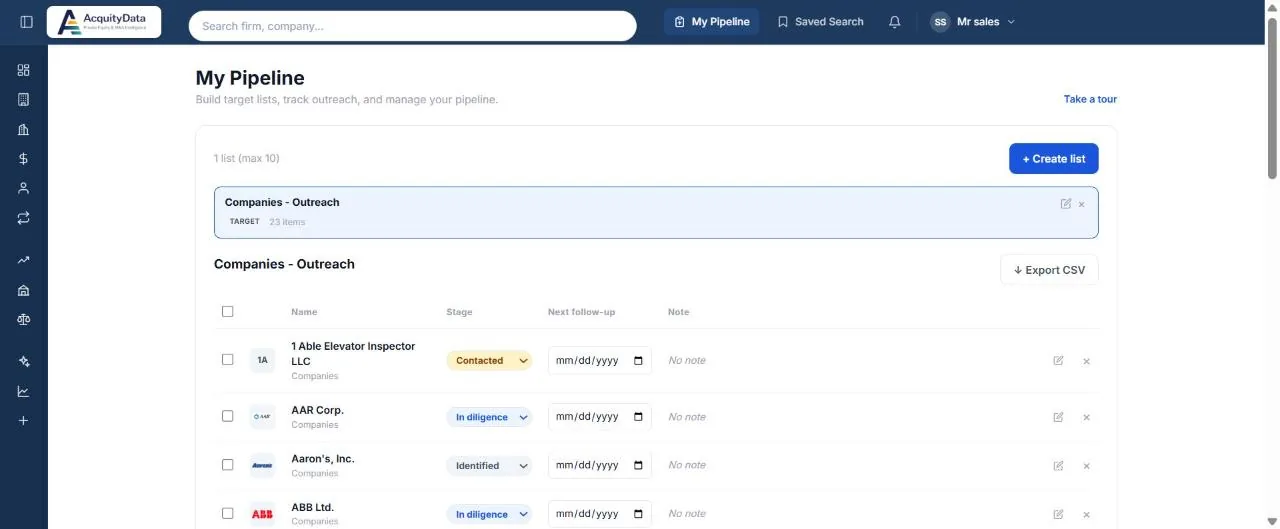
Create a list
- Open My PipelineSelect My Pipeline in the top bar.
- Create the listSelect + Create list and give it a name. You can have up to 10 lists.
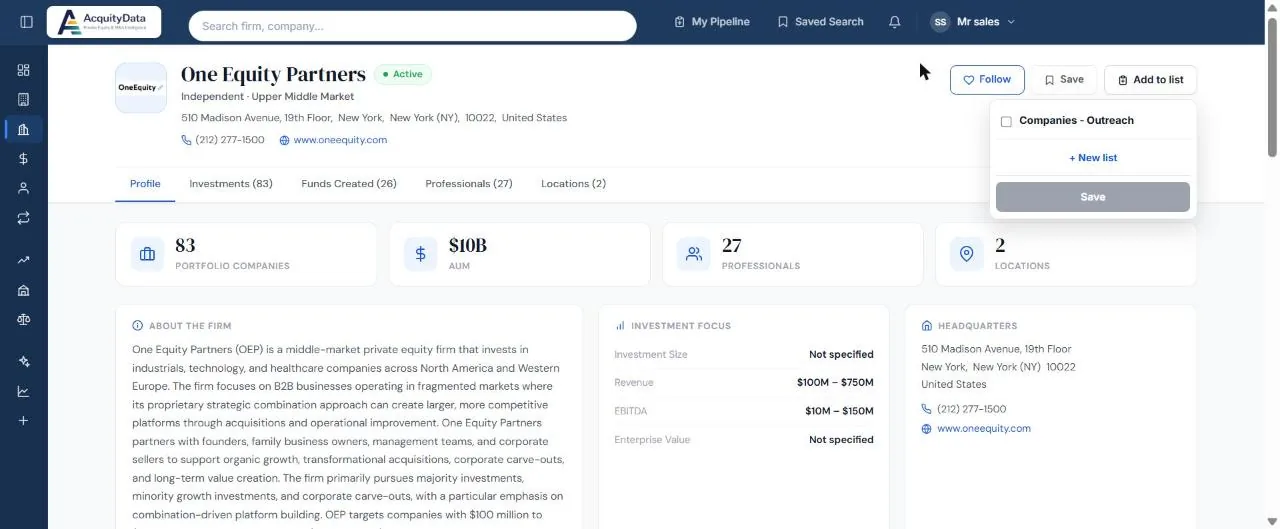
- Add entries from a profileOn any company or firm profile, select Add to list, tick one or more lists, and Save. You can also create a new list from the same box.
- Track progressIn the list, set each entry’s Stage, its Next follow-up date and a note.
Stages
| Stage | Use it for |
|---|---|
| Identified | You have found it and plan to look closer. |
| Contacted | You have reached out. |
| Meeting set | A call or meeting is booked. |
| In diligence | You are actively evaluating it. |
| Passed | You decided not to proceed. |
Keep it tidy
- Follow-up dates that have passed are flagged so you can see what is overdue.
- Use the pencil icon to edit an entry and the × to remove it.
- Export CSV downloads the list for use in a spreadsheet or CRM.
Select Take a tour on the page for a short walk-through.