
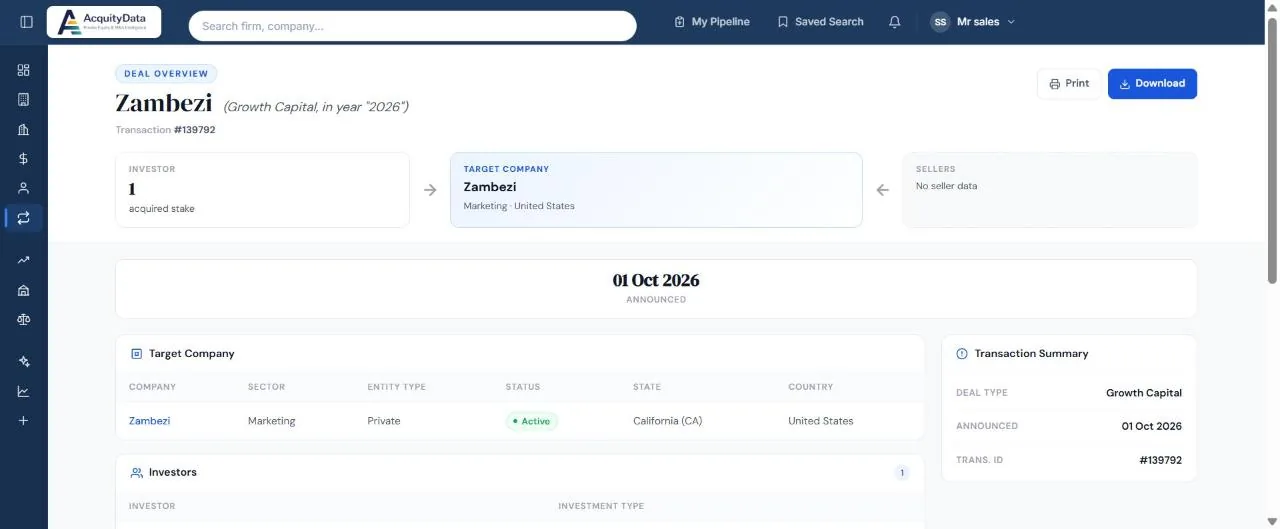
What is on the page
- Deal overview: the target company name, the deal type and year, and the transaction number.
- Investor, Target Company, Sellers: three boxes that show the flow of the deal. A seller box may say “No seller data” when the seller is unknown.
- Date: announced or closed.
- Target Company: sector, entity type, status, state and country, with a link to its profile.
- Investors: each investor and the type of investment.
- Transaction Summary: deal type, dates and ID.
Print or download
Use Print or Download at the top right to keep a copy of the deal page.