
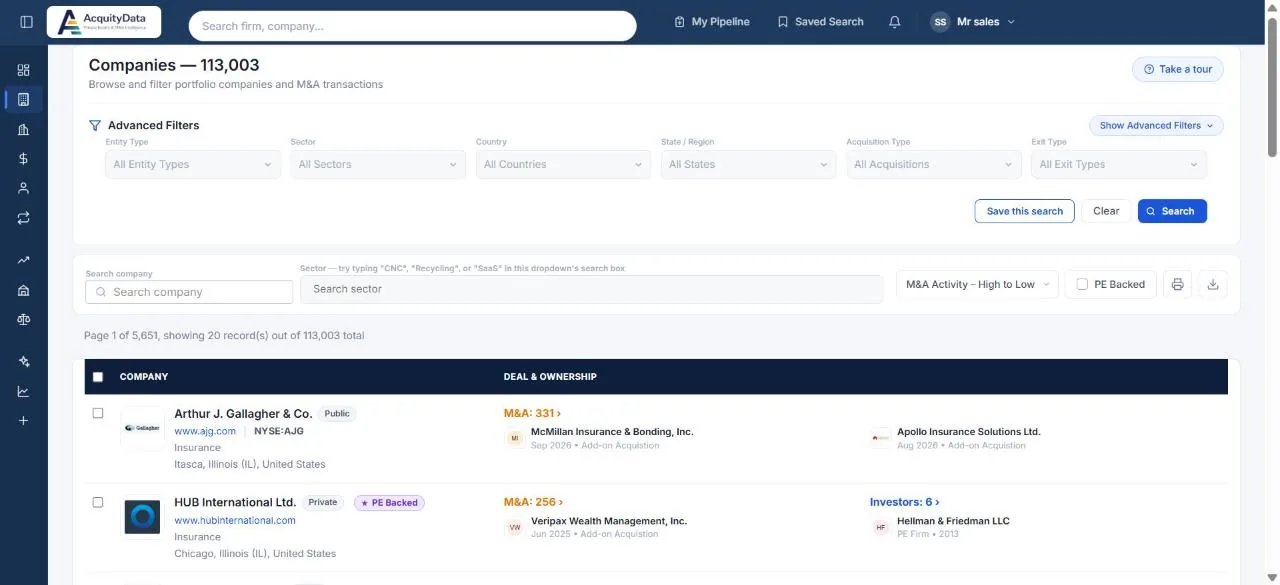
Run a company search
- Open CompaniesSelect Companies in the left menu. The heading shows how many companies match.
- Choose filtersUse the boxes under Advanced Filters: Entity Type, Sector, Country, State / Region, Acquisition Type and Exit Type.
- Add more with Show Advanced FiltersOpen the extra filters for currency, deal amount, stock exchange, ticker, IPO and delisted year, and date ranges (see below).
- Select SearchThe list updates. Clear resets every filter.
- Open a companyClick a name to see its full profile.
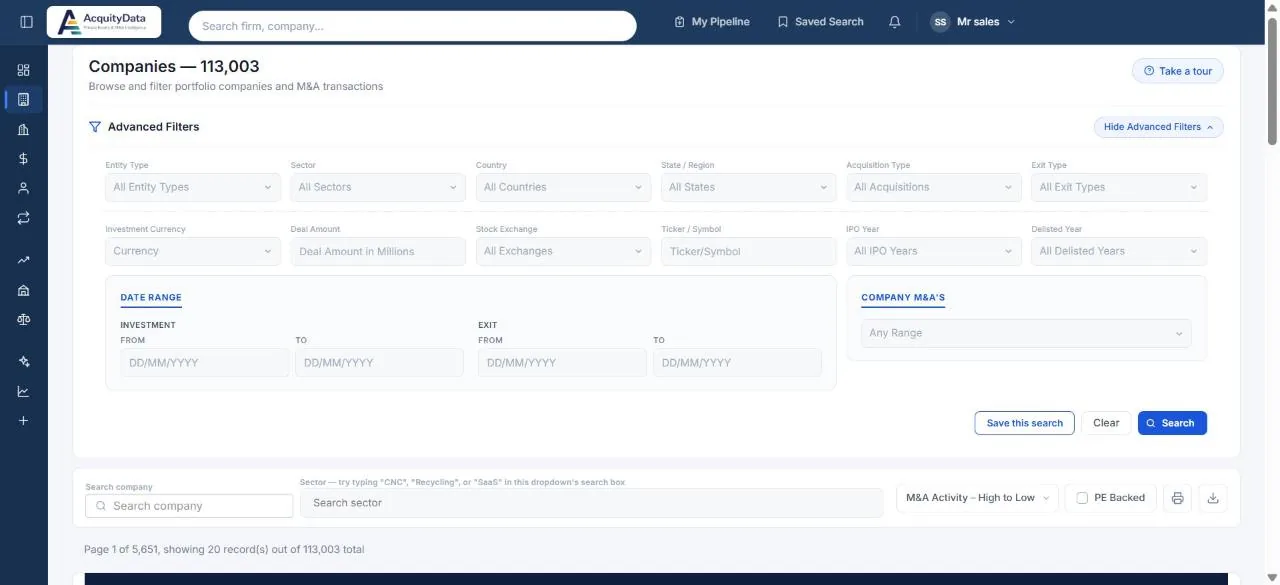
Filters
| Filter | What it narrows |
|---|---|
| Entity Type | Private, public and other company types. |
| Sector | Industry of the company. You can also type a keyword such as “SaaS” or “Recycling” in the sector search box above the list. |
| Country, State / Region | Where the company is based. |
| Acquisition Type | How the company was acquired, for example buyout, growth capital or add-on. |
| Exit Type | How an investor exited, for example a secondary sale. |
| Investment Currency, Deal Amount | Deal size in millions, in the currency you pick. |
| Stock Exchange, Ticker / Symbol, IPO Year, Delisted Year | For public and formerly public companies. |
| Date Range | Investment date and exit date, each with a from and to. |
| Company M&As | How many acquisitions the company has made. |
Quick controls above the list
- Search company: type part of a name.
- PE Backed: tick it to keep only companies with a private equity owner.
- Sort: M&A Activity (high to low) or by name.
- Print and download icons: export the current results. See Exporting data.
- Save this search: keep your filters to re-run later, with optional alerts. See Saving a search.
Reading a row
The right side of each row shows M&A (acquisitions the company has made) and Investors (firms that have invested in it), each with the latest example. Click either number to open the full list.