
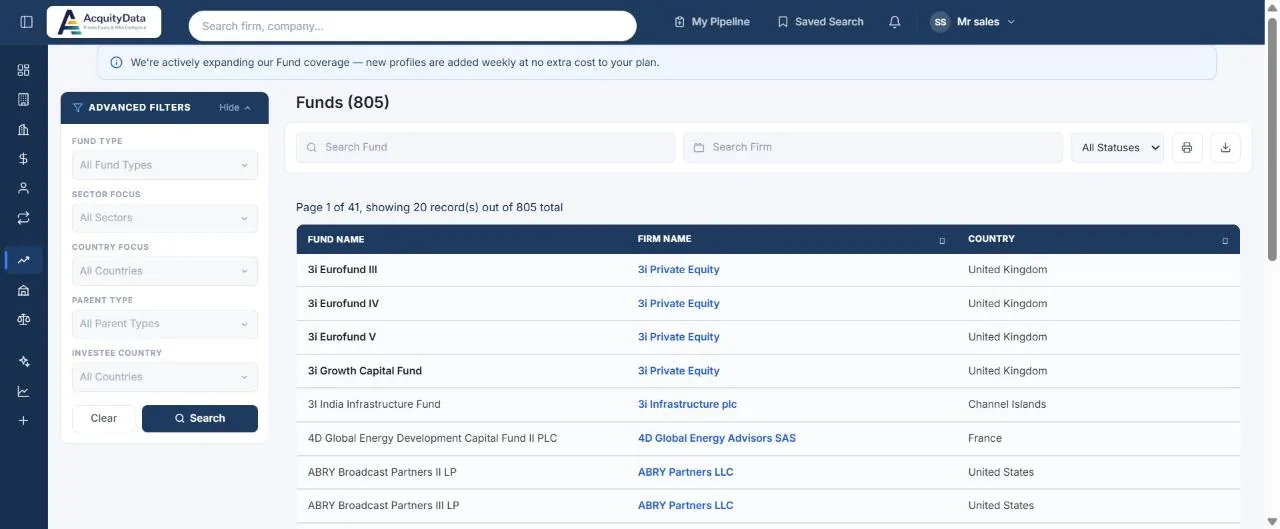
Run a fund search
- Open FundsSelect Funds in the left menu.
- Apply filtersFund Type, Sector Focus, Country Focus, Parent Type and Investee Country in the panel on the left.
- Search by nameUse Search Fund for a fund name or Search Firm for the manager. The status dropdown filters by fund status.
- Open a fund or firmClick the fund to see its details, or the firm name to open the firm profile.
Reading the table
Each row shows the fund name, the firm that manages it, and the country.